HomeAssistant Integration
anpr2mqtt represents each ANPR cameras as a MQTT Sensor and MQTT Image entities, and uses MQTT discovery so that HomeAssistant automatically picks up components discovered by ANPR2MQTT with zero configuration on HomeAssistant itself.
The MQTT image entity can be used in the same way as a camera entity, so can be included in mobile push, email etc notifications, or added to a Home Assistant dashboard. See the example below, or use Supernotify camera support.
Attributes
Both the sensor and image attributes have the same extensive set of attributes.
The target value will also appear in a field named after target_type, for example, plate for easier to read Home Assistant automations.
| Attribute | Example |
|---|---|
| target | J23TST |
| target_type | plate |
target_type | J23TST |
| vehicle_direction | Forward |
| reg_info | null |
| area | driveway |
| camera | drivewacam |
| file_path | /ftp/Driveway/20260108141528320_J23TST_VEHICLE_DETECTION.jpg |
| event_image_url | http://192.168.10.10/cctv//ftp/Driveway/20260108141528320_J23TST_VEHICLE_DETECTION.jpg |
| orig_plate | J23TST |
| ignore | false |
| known | true |
| dangerous | false |
| priority | medium |
| description | Amazon Prime |
| previous_sightings | 15 |
| last_sighting | 2026-01-08T14:15:28.000319+00:00 |
| event_time | 2026-01-08T14:15:28.000320+00:00 |
| image_event | VEHICLE DETECTION |
| ext | jpg |
| image_size | 124907 |
The reg_info will be populated with the licence plate API lookup, for example UK DVLA, if provided.
Example Automation
This example uses Supernotify to generate multiple alerts, such as email with ANPR image attachment, mobile push with the image and click through to Frigate page, voice assistant announcement and sounding chimes. It can also be used with any of the built-in notification integrations, though without the same multiple-transport and media handling capabilities.
alias: Driveway ANPR Alert
description: "Notify via email, chime, Alexa and mobile push when a vehicle identified"
triggers:
  - trigger: state
    entity_id:
      - sensor.anpr_driveway
conditions:
  - condition: not
    conditions:
      - condition: state
        entity_id: sensor.anpr_driveway
        state:
          - unavailable
          - unknown
actions:
  - action: notify.supernotify
    metadata: {}
    data:
      message: >-
        {{ trigger.to_state.attributes.description }} with {{
        trigger.to_state.attributes.plate }} spotted at {{
        trigger.to_state.attributes.camera }} camera, moving {{
        trigger.to_state.attributes.vehicle_direction }}

        {% if trigger.to_state.attributes.previous_sightings == 0 %} Not
        previously sighted  {% else %}  with {{
        trigger.to_state.attributes.previous_sightings }} previous sightings. {%
        endif %} {% if trigger.to_state.attributes.last_sighting is defined %}
        last seen on {{ trigger.to_state.attributes.last_sighting[:10] }} at {{
        trigger.to_state.attributes.last_sighting[11:16] }}   {% endif %}

        {% if trigger.to_state.attributes.reginfo is defined %}  DVLA info: {{
        trigger.to_state.attributes.reginfo }}   {% endif %}
      title: >-
        {{ trigger.to_state.attributes.description }} spotted on {{
        trigger.to_state.attributes.camera }} camera
      data:
        priority: "{{ trigger.to_state.attributes.priority }}"
        apply_scenarios: >-
          {% if trigger.to_state.attributes.known %}known_vehicle{% else
          %}unknown_vehicle{% endif %}
        constrain_scenarios:
          - known_vehicle
          - unknown_vehicle
        media:
          camera_entity_id: image.anpr_{{trigger.to_state.attributes.camera}}
          snapshot_url: "{{ trigger.to_state.attributes.event_image_url }}"
mode: single
Configuration
In general, no configuration is needed, if Home Assistant is already running with MQTT, and the defaults haven't been changed.
Make sure anpr2mqtt is publishing to the same broker, the MQTT Integration is installed and automatic discovery is not disabled.
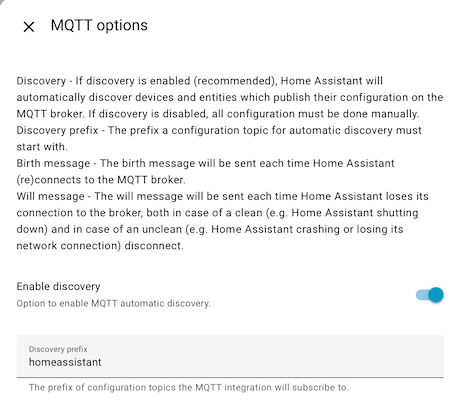
The homeassistant default topic prefix matches the default ANPR2MQTT config, if its changed in HomeAssistant, then the ANPR2MQTT config must be changed to match.
Device Creation
A Home Assistant device will be created for each ANPR2MQTT camera, and Home Assistant will then group the relevant entities together on this device page. Use device_creation: false in the homeassistant config block if you want to switch off this behaviour.
MQTT Topics
There are 3 separate types of MQTT topic used for HomeAssisstant integration:
- Config to support auto discovery.
- A topic is created per camera, with a name like
homeassistant/sensor/driveway/anpr/config. - Optionally a
imageandcameratopic can be created - The
homeassistanttopic prefix can also be configured.
- A topic is created per camera, with a name like
- State to report the last plate seen and attributes
anpr2mqtt/camera_name/stateanpr2mqtt/camera_name/image
Verifying it Works
Rather than wait for a container to need an update, you can check right away that Home Assistant has recognized the ANPR entities.
From the Entities View, or the Developer Tools, filter the entities by anpr.
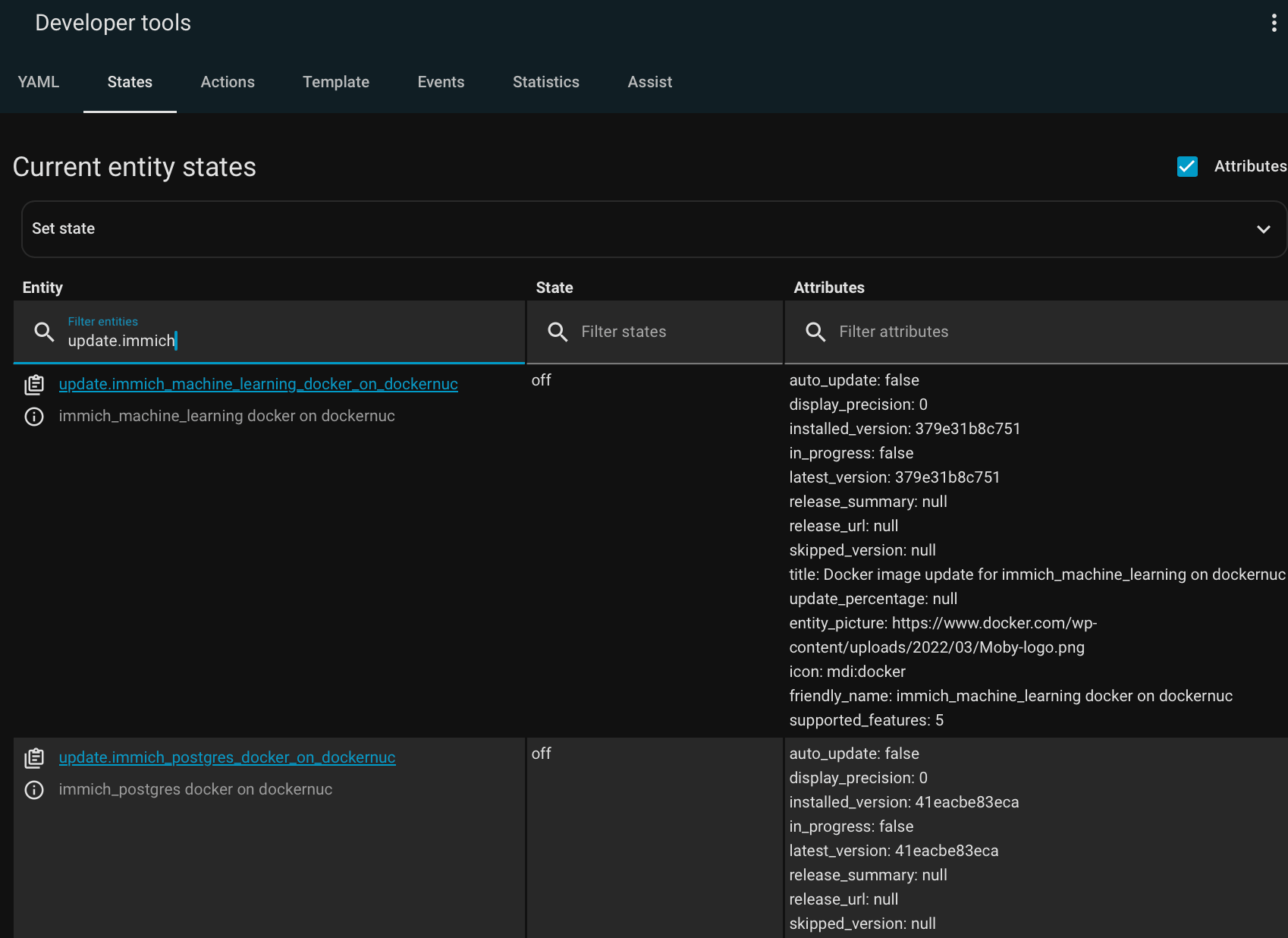
Republishing on Home Assistant restart
Home Assistant's MQTT integration can publish the status of Home Assistant itself to birth and last will and testament topics. Current default for this is homeassistant/status, though older installations may have hass/status - if its non-default, override in the config under homeassistant: status_topic.
More Home Assistant information
- MQTT Integration
- Includes setting up a MQTT broker, MQTT Discovery, and trouble-shooting
- MQTT Sensor
- MQTT Image